LiDAR & Point Clouds
Millions of points. One browser tab.
Upload a point cloud, explore it next to your map, measure stockpile volumes and digitize features, all in your browser.
Point cloud viewer
Explore surveys in the browser
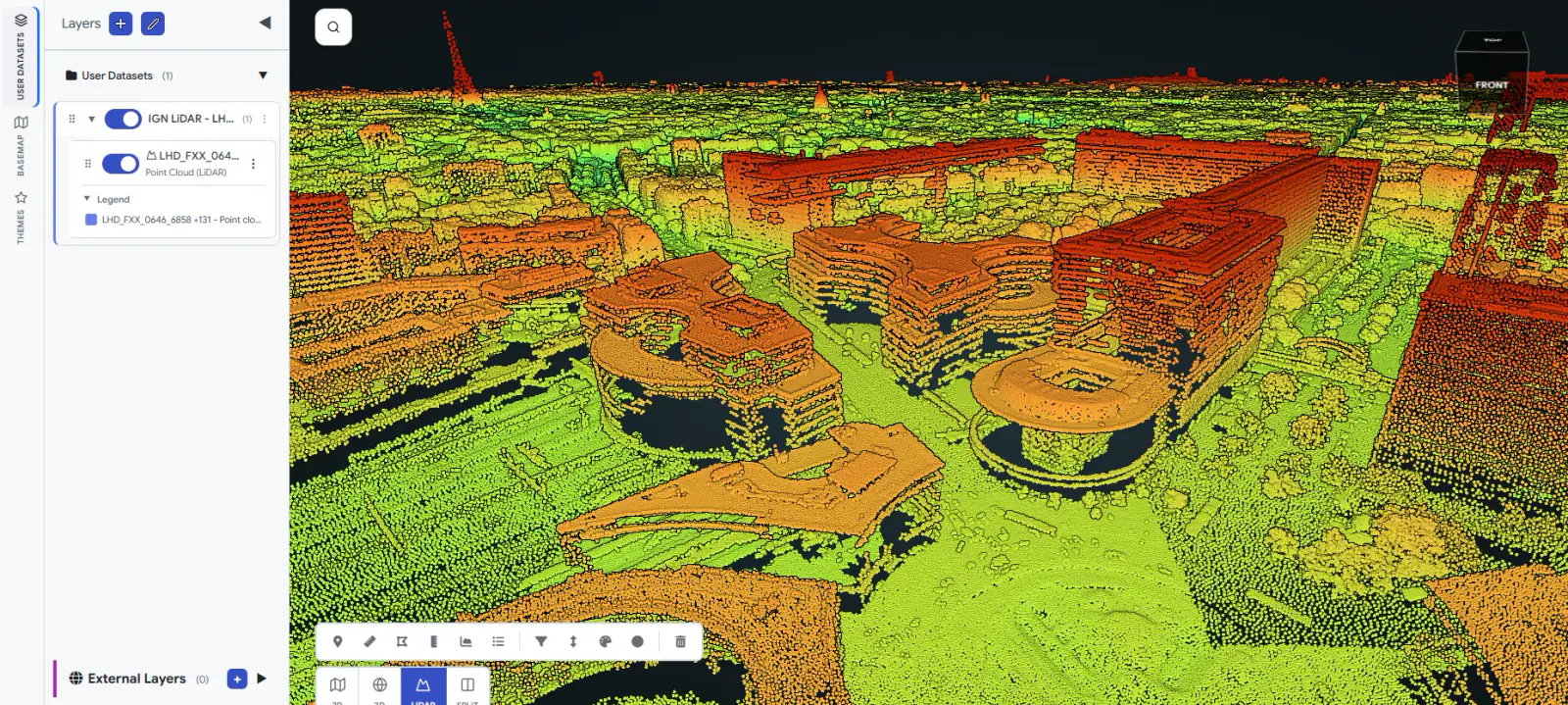
Upload LAS, LAZ or E57 files, confirm the coordinate system and explore the point cloud in a built-in viewer. You get an email when conversion finishes. LiDAR access is enabled per user and project.
- RGB, intensity, classification, elevation and return-number color modes
- Filter by classification and recolor individual classes
- Point size controls and in-canvas measurement tools
- Split view keeps the 2D map and the point cloud in sync
Stockpile analysis
Stockpile volumes, straight from the point cloud
Draw a polygon around a stockpile and get fill, cut and net volume, area and elevation range from a surface model generated at upload. Run a whole batch of polygons at once.
- Turn on stockpile analysis when you upload a cloud
- Results are saved as analysis layers on the map
- Batch mode for many stockpiles
- PDF report on eligible plans
- Fill
- 12,480 m³
- Cut
- 310 m³
- Net
- 12,170 m³
- Area
- 2,940 m²
- Elevation
- 101.2 to 109.8 m
Point cloud tools
Measure, merge and refine
A working toolkit for survey and engineering teams.
Measure and export
Distance, area, height and volume measurements, exported as shapefiles.
Shaded relief
Generate a shaded relief raster in your browser with no server compute. Available on request.
Merge clouds
Combine clouds that share a coordinate system into one dataset.
Alignment
Align clouds to control points in the desktop app before upload, and keep the alignment report with the cloud.
Coordinate systems
Relabel a cloud's coordinate system without reconverting, and record its vertical datum.
Street view in the cloud
Step into panoramas from inside the point cloud when your imagery carries camera pose data.
CAD extraction
Digitize over the point cloud
Draw points, lines and polygons directly over a point cloud, then publish them as map layers. CAD extraction is available on request and enabled per user.
- Snapping, ortho and constraint locking, sections, undo and redo
- Attribute editing
- Import DXF, GeoPackage, GeoJSON, KML or zipped shapefiles
- Publish layers to the map and export a DXF
- Autosave recovers your edits after a lost connection
Local storage
Keep point clouds on your own drives
For large or sensitive surveys, register a point cloud that stays on your own local storage. The browser reads it directly, so no point data reaches Geosys AI servers. Only metadata and the coordinate system label are stored.
- Also available for rasters and street imagery
- Available on request
- Server-side actions such as reprojection and downloads are not available for data kept in local storage
FAQ
Frequently asked questions
Which point cloud formats can I upload?
You can upload LAS, LAZ and E57 files, confirm the coordinate system, and explore the point cloud in the built-in viewer. You get an email when conversion finishes.
How are stockpile volumes calculated?
Draw a polygon around a stockpile and get fill, cut and net volume, area and elevation range from a surface model generated at upload. You can run a batch of polygons at once.
Can I keep point clouds on my own storage?
Yes. A point cloud can stay on your own local storage and be read directly by the browser, so no point data reaches Geosys AI servers. This is available on request.
Can I digitize CAD features over a point cloud?
Yes. You can draw points, lines and polygons over a point cloud and publish them as map layers. CAD extraction is available on request and enabled per user.
See it on your own data
Tell us about your project and we will walk you through it on a dataset like yours.
Ready to deploy?
Get a demo, pricing, and a pilot plan tailored to your data stack.