Client Delivery
Give clients a link, not a login
Deliver maps and analysis to clients through expiring links and branded portals, with full control over what they can do.
Customer portals
One link for every project a customer owns
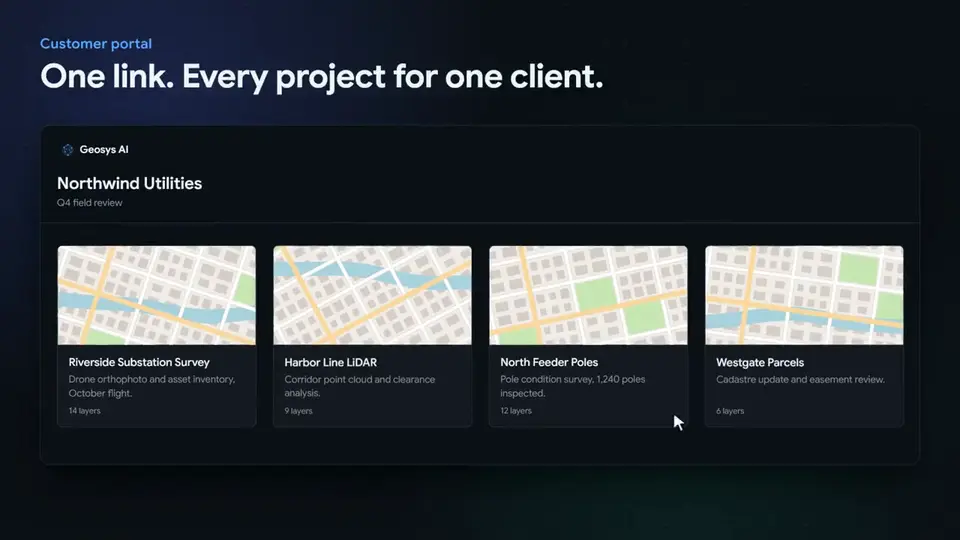
A customer portal gathers all of a customer's projects behind one link, with a home page of project cards and a project switcher. Assign or unassign a project and the portal updates immediately.
- Password, expiry and AI budget for each portal
- Optionally keep a guest's state when they switch projects
- Works for every organization type, not only resellers
Guest sessions
Guests stay in their lane
Every guest gets an isolated session, so one client never sees another client's work.
Isolated results
Each guest sees only their own analysis output plus the shared project data.
Idle timeout
Sessions end after 60 minutes of inactivity, and their temporary files are cleaned up.
Read-only by design
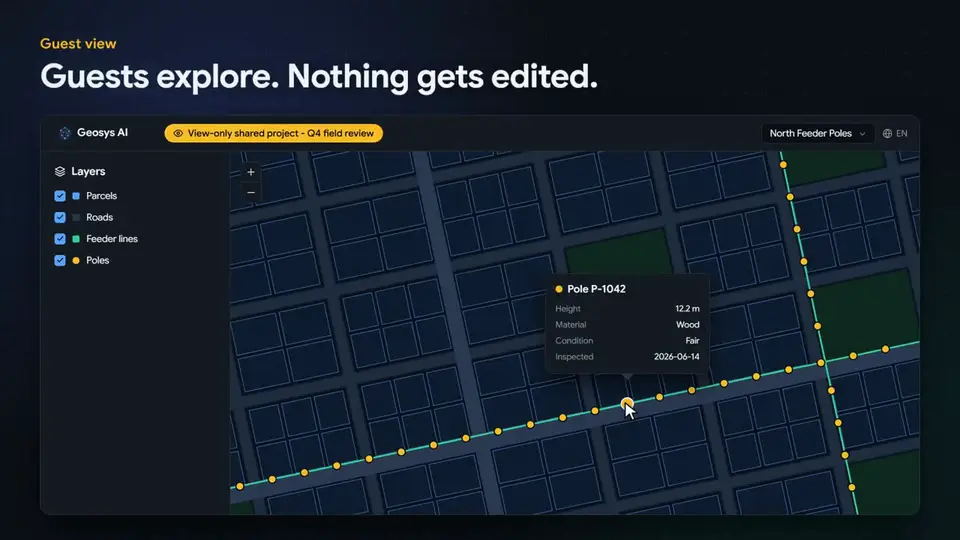
Guests can view and ask questions, but they cannot upload, edit or delete.
Protected access
Link and password attempts are rate limited.
White-label
Your brand, not ours
Deliver Geosys AI as your own product, with your branding, your client hierarchy and per-organization control over what is enabled.
Full custom branding
Logo, favicon, colors, theme and copyright, configured per organization.
Branded sign-in pages
Each organization gets its own sign-in page and dashboard address.
Reseller hierarchy
Group projects under customers to run many client accounts in one organization.
Project AI personas
Give individual projects their own AI context and persona, set up by your administrator.
Per-organization capabilities
Enable capabilities for each client organization, such as French and Dutch national data, isochrones and oblique imagery.
Interface translations
The interface is translated into English, Spanish, German, French and Dutch, and language switching can be enabled for the users you choose.
FAQ
Frequently asked questions
Do clients need an account to open a shared project?
No. Guests open a share link in the browser with no account. The link is read-only, has a required expiry date, and can have an optional password.
Can I stop a client from using AI on a shared link?
Yes. Each link has a lifetime AI question budget, or you can switch AI off entirely.
What is a customer portal?
A customer portal gathers all of a customer's projects behind one link, with a home page of project cards and a project switcher. It has its own password, expiry and AI budget.
Can I remove access after sharing?
Yes. You can revoke a link at any time. Links also expire on the date you set, and guest sessions end after 60 minutes of inactivity.
See it on your own data
Tell us about your project and we will walk you through it on a dataset like yours.
Ready to deploy?
Get a demo, pricing, and a pilot plan tailored to your data stack.