Integrations
Use Geosys AI from the assistants you already use
Connect ChatGPT or Claude to your projects, sync layers from QGIS and upload large datasets from your desktop.
Model Context Protocol
Ask your AI assistant about your maps
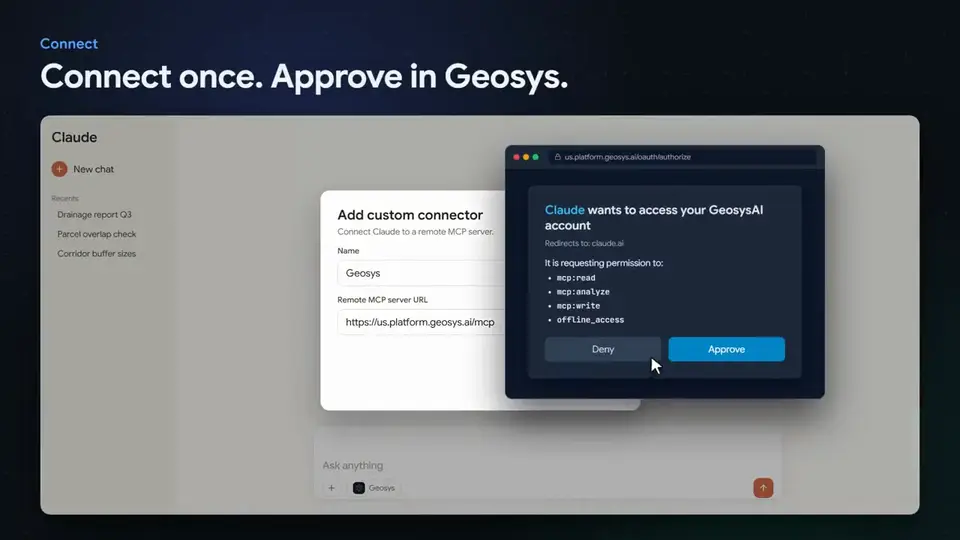
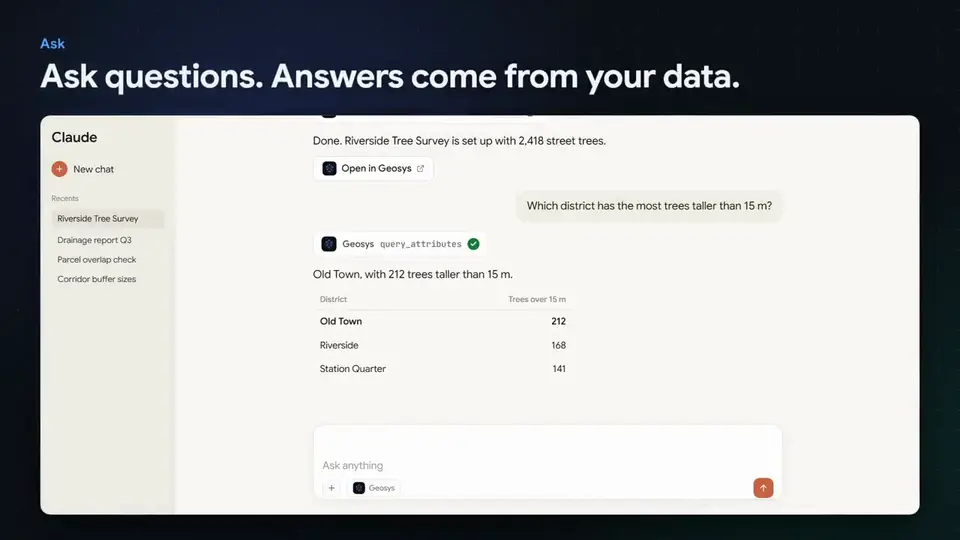
Connect an AI assistant to your Geosys AI projects. Sign in once, then ask questions about your datasets, run analyses and simulations, and let the assistant drive the map for you.
- Sign in with your existing Geosys AI account using OAuth
- Works with ChatGPT and Claude connectors
- More than 40 tools across projects, datasets, analysis, search, simulation, creation and ingest
- Every action respects the signed-in user's project permissions
Read your projects
List projects and datasets, and search across them in plain language.
Run analysis
Ask spatial questions and get results back as tables, GeoJSON and charts.
Run simulations
Start terrain and flood simulations and follow their progress.
Create and ingest
Upload files or pull large files from an approved address into a project.
Control the live map
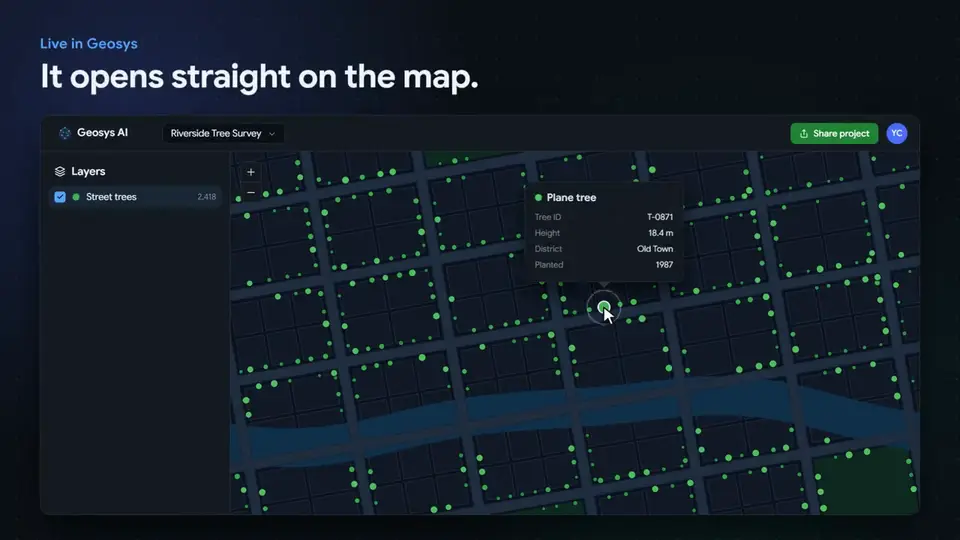
Zoom to a dataset, toggle layers, switch basemaps and apply filters in your open dashboard tab.
Long jobs, tracked
Analyses, simulations, exports and ingests run in the background and can be polled for status.
Access you control
Give an assistant only the access it needs
Each connection is granted specific scopes, and every action still respects the signed-in user's project permissions.
- Read - browse projects, datasets and results
- Analyze - run analyses and simulations
- Write - create layers and upload files
- Control - drive your open map dashboard live
- Short-lived access tokens and rotating refresh tokens
Bring your own model
Let your assistant write the analysis
Prefer your own model? Your assistant can write GeoPandas code and run it in the Geosys AI sandbox, without using the Geosys AI analysis engine.
- Code is scanned before it runs, and network access, system calls and unsafe imports are blocked
- Runs as a background job you can check on
- Results are saved like any other analysis in your project
Fits your workflow
Connect the tools you already use
Geosys AI also connects to desktop GIS and file workflows, so data flows in without re-exporting.
QGIS plugin sync
Push vector and raster layers, and their styles, from QGIS to a project, and overwrite them when your source changes.
Desktop upload app
Convert and upload large rasters and point clouds from your desktop, with resumable uploads.
External map services
Add WMS, WMTS and WFS layers from any provider next to your own data.
Protected sign-in
Desktop and QGIS connections support multi-factor sign-in.
Deep links
Open a project and zoom straight to a dataset from a link.
FAQ
Frequently asked questions
Can I use ChatGPT or Claude with my Geosys AI projects?
Yes. You can connect ChatGPT or Claude to your projects, sign in with your existing Geosys AI account, and ask questions about your datasets, run analyses and simulations, and control your open map. This is available on request.
Can an assistant see data I am not allowed to see?
No. Every action respects the signed-in user's project permissions, and each connection is granted specific scopes such as read, analyze, write or control.
Does Geosys AI work with QGIS?
Yes. A QGIS plugin pushes vector and raster layers, and their styles, to a project, and can overwrite them when your source changes.
How do I upload very large rasters or point clouds?
Use the desktop upload app. It converts and uploads large rasters and point clouds from your desktop with resumable uploads, and it supports multi-factor sign-in.
See it on your own data
Tell us about your project and we will walk you through it on a dataset like yours.
Ready to deploy?
Get a demo, pricing, and a pilot plan tailored to your data stack.